在AI时代使用本地LLM与APEX生成式AI服务
llmngrokollamaoracle apex本地ai生成式ai
原文地址: https://blog.apexapplab.dev/apex-in-the-ai-era
## 在AI时代使用本地LLM与APEX生成式AI服务

## APEX 24.1新功能
这是第一个将AI服务更贴近开发者的大型APEX版本。核心是大型语言模型(LLM)。新推出的"生成式AI服务"工作区工具允许开发者配置访问不同LLM提供商,然后可以在APEX的各种AI工具中使用。APEX 24.1中的这些功能包括:
* ✨ AI辅助应用开发
* ✨ AI辅助SQL编写
* ✨ AI辅助调试
* ✨ 使用自然语言创建应用
* ✨ 对话式AI对话框
* ✨ APEX\_AI API
完整功能列表可在此查看:[APEX 24.1新功能](https://apex.oracle.com/en/platform/features/whats-new-241/)
## 支持的LLM提供商
在这个首次AI发布中,支持三个LLM提供商:
* OpenAI
* OCI生成式AI服务
* Cohere
相关文档:[管理生成式AI服务](https://docs.oracle.com/en/database/oracle/apex/24.1/htmdb/managing-generative-ai-services.html)
⚠️ 虽然这些是很好的通用模型,但存在以下缺点:
1. 所有三种服务都是付费的,需要付费账户获取API密钥
2. 这些是通用模型,未针对特定任务微调
3. 需要互联网连接才能使用
## 解决方案/变通方法
🎯 本变通方法的目标是:
* 使用自定义LLM模型(非默认支持的模型)
* 可以选择开源模型或闭源模型
* 可以在本地运行模型(如果机器足够强大)
幸运的是,OpenAI的API已成为全球标准,许多其他LLM也提供了OpenAI兼容格式的服务。
```plaintext
curl http://my_llm_service.com/v1/chat/completions \
-H "Content-Type: application/json" \
-d '{
"model": "llama3",
"messages": [
{
"role": "system",
"content": "You are a helpful assistant."
},
{
"role": "user",
"content": "Hello!"
}
]
}'
```
## 本地机器设置
使用工具Ollama(适用于MacOS和Windows):
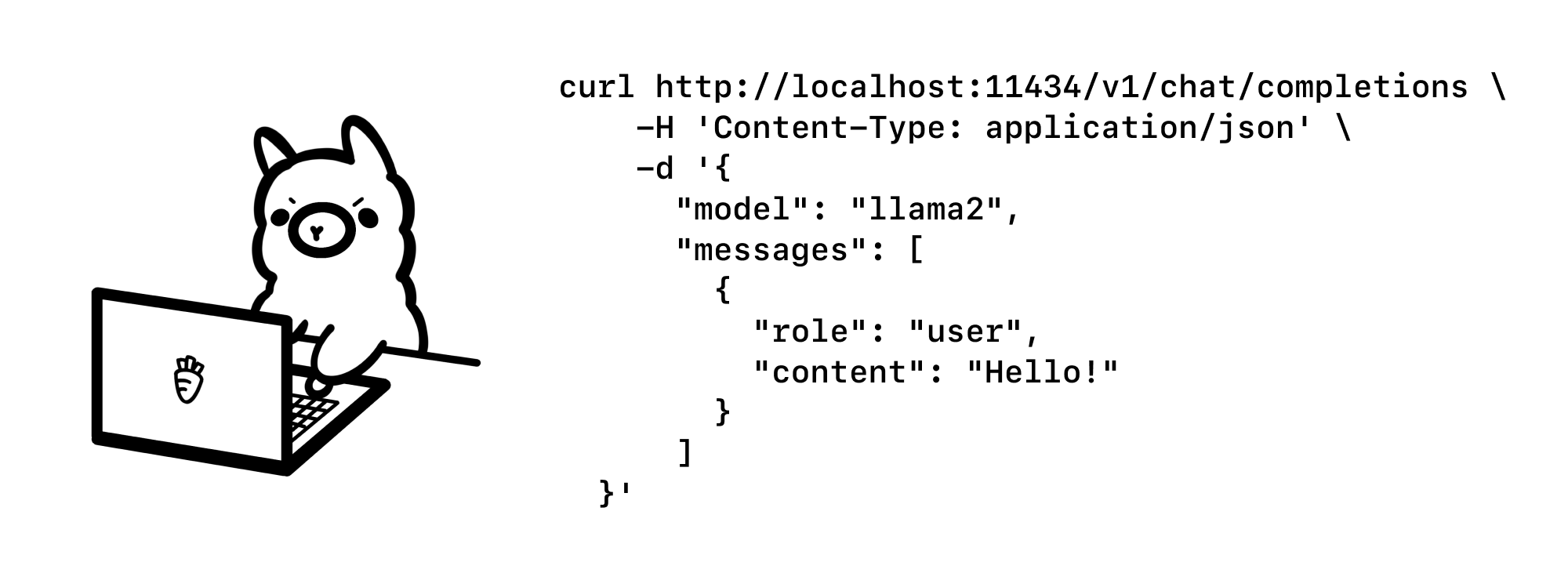
1. 下载并安装Ollama - [ollama.com](https://ollama.com/)
2. 从模型库中选择模型 - [ollama.com/library](https://ollama.com/library)
3. 在终端运行命令:
```plaintext
ollama run openhermes2.5-mistral:latest
```
测试模型的cURL命令:
```plaintext
curl -X POST http://localhost:11434/api/generate -d '{
"model": "openhermes2.5-mistral:latest",
"prompt": "The tallest building in the world is in ..."
}'
```
## 将本地API暴露到互联网
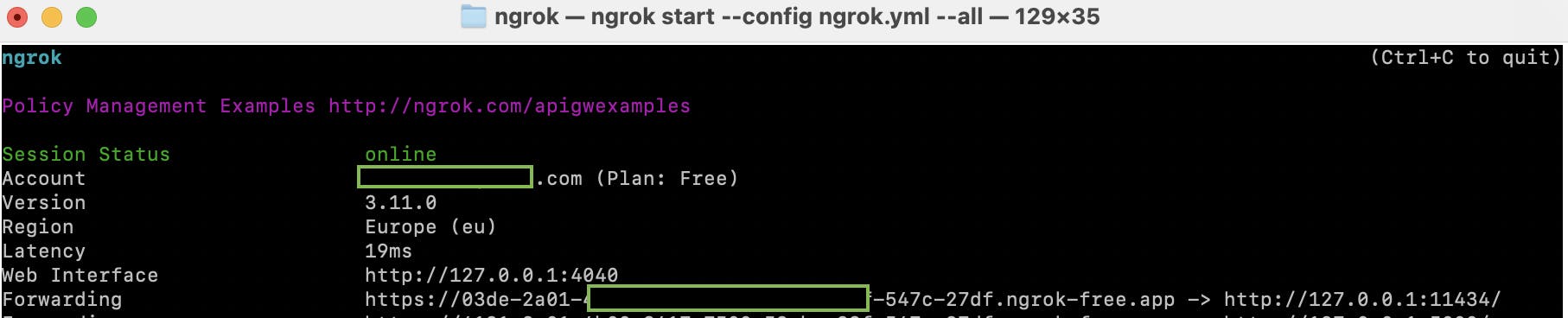
使用Ngrok服务:

1. 创建Ngrok账户 - [ngrok.com](https://ngrok.com/)
2. 获取认证令牌 - [dashboard.ngrok.com](https://dashboard.ngrok.com/get-started/your-authtoken)
3. 运行命令:
```plaintext
brew install ngrok/ngrok/ngrok
ngrok config add-authtoken YOUR_AUTH_TOKEN
ngrok http http://127.0.0.1:11434
```
## 配置APEX生成式AI服务
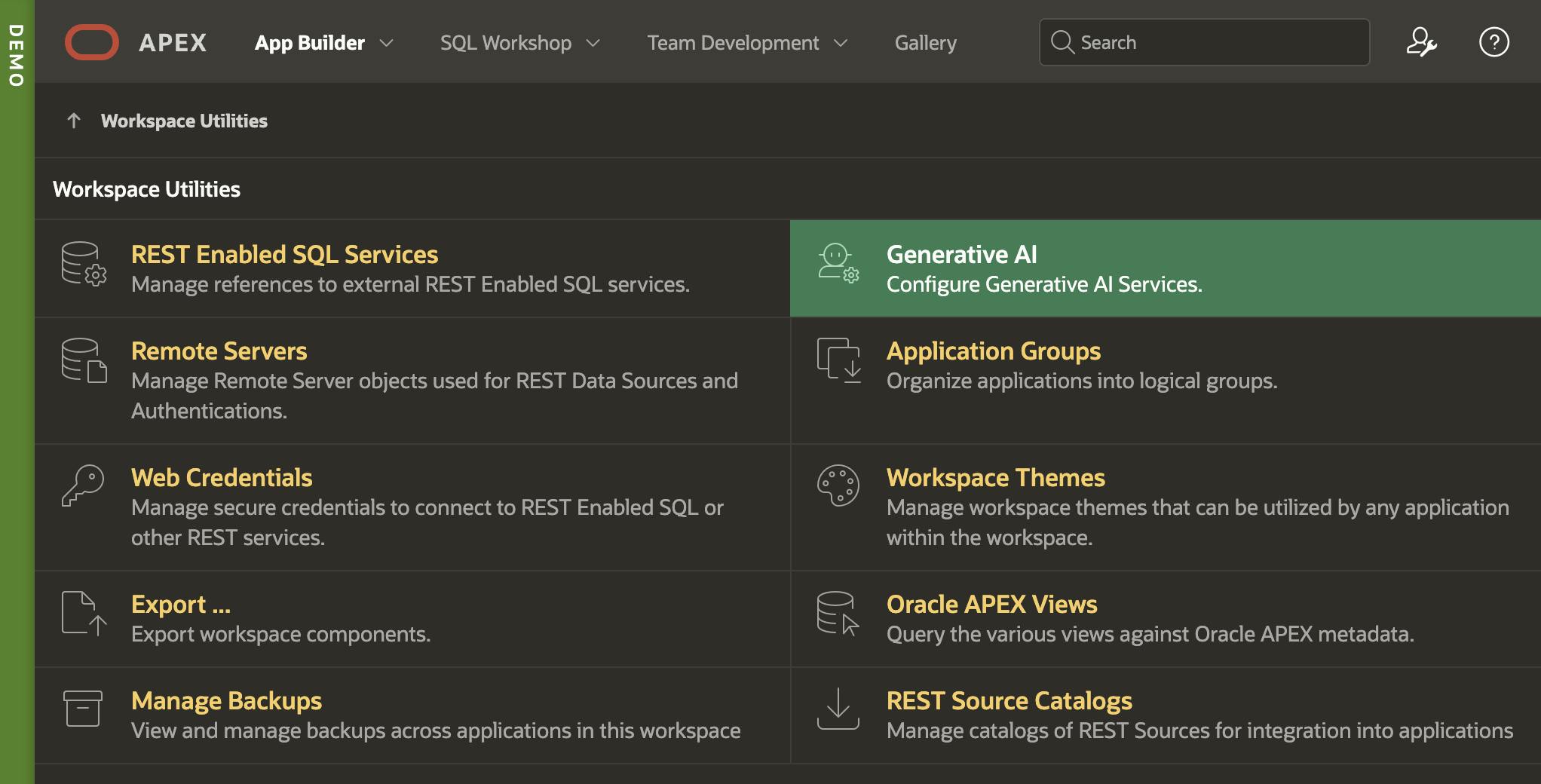
1. 进入工作区工具 > 生成式AI
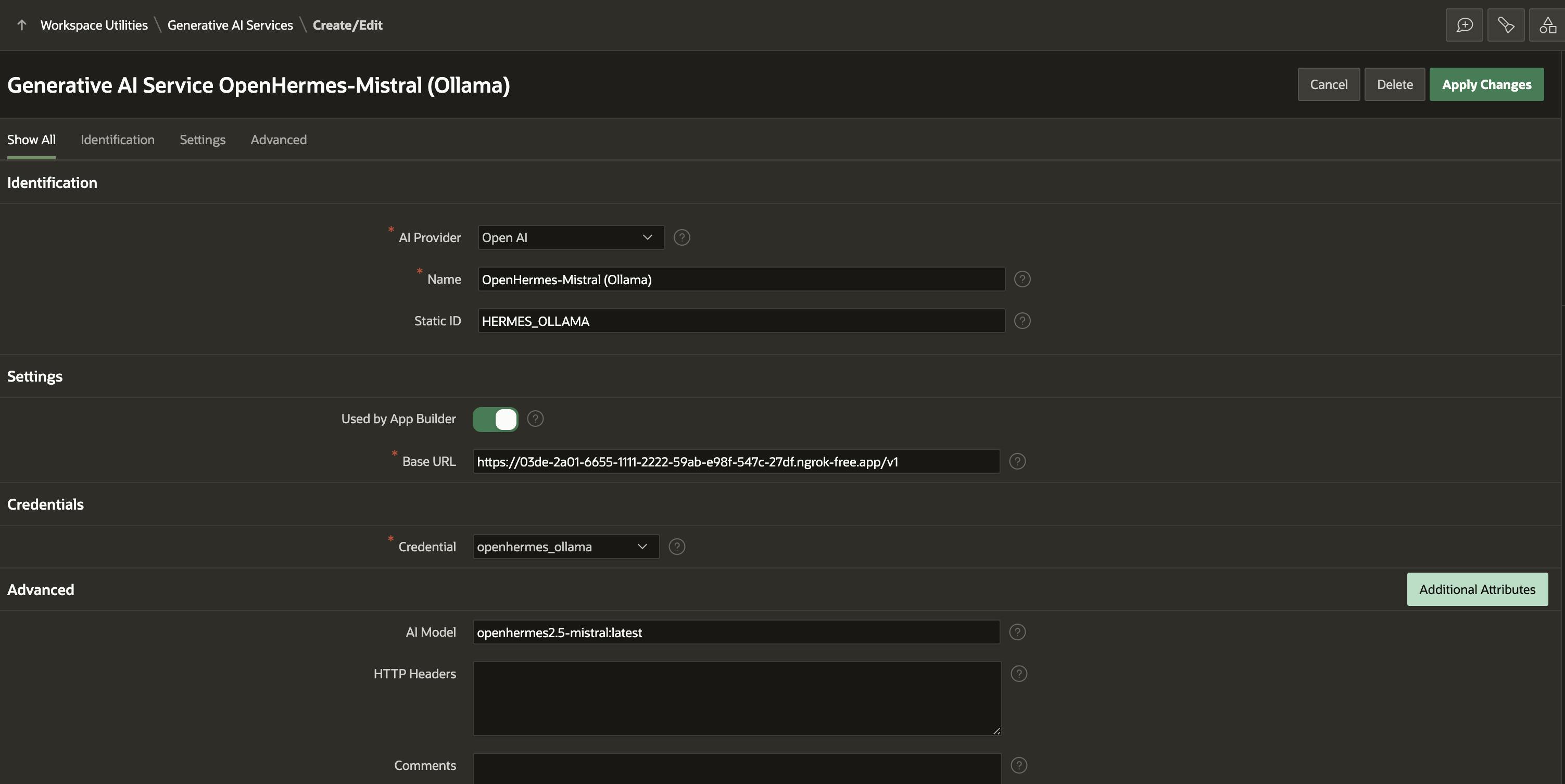
1. 创建新配置并填写信息:
* AI提供商:OpenAI(选择兼容API)
* 名称:有意义的名字
* 基本URL:Ngrok隧道地址/v1
* AI模型:在Ollama中启动的模型名称
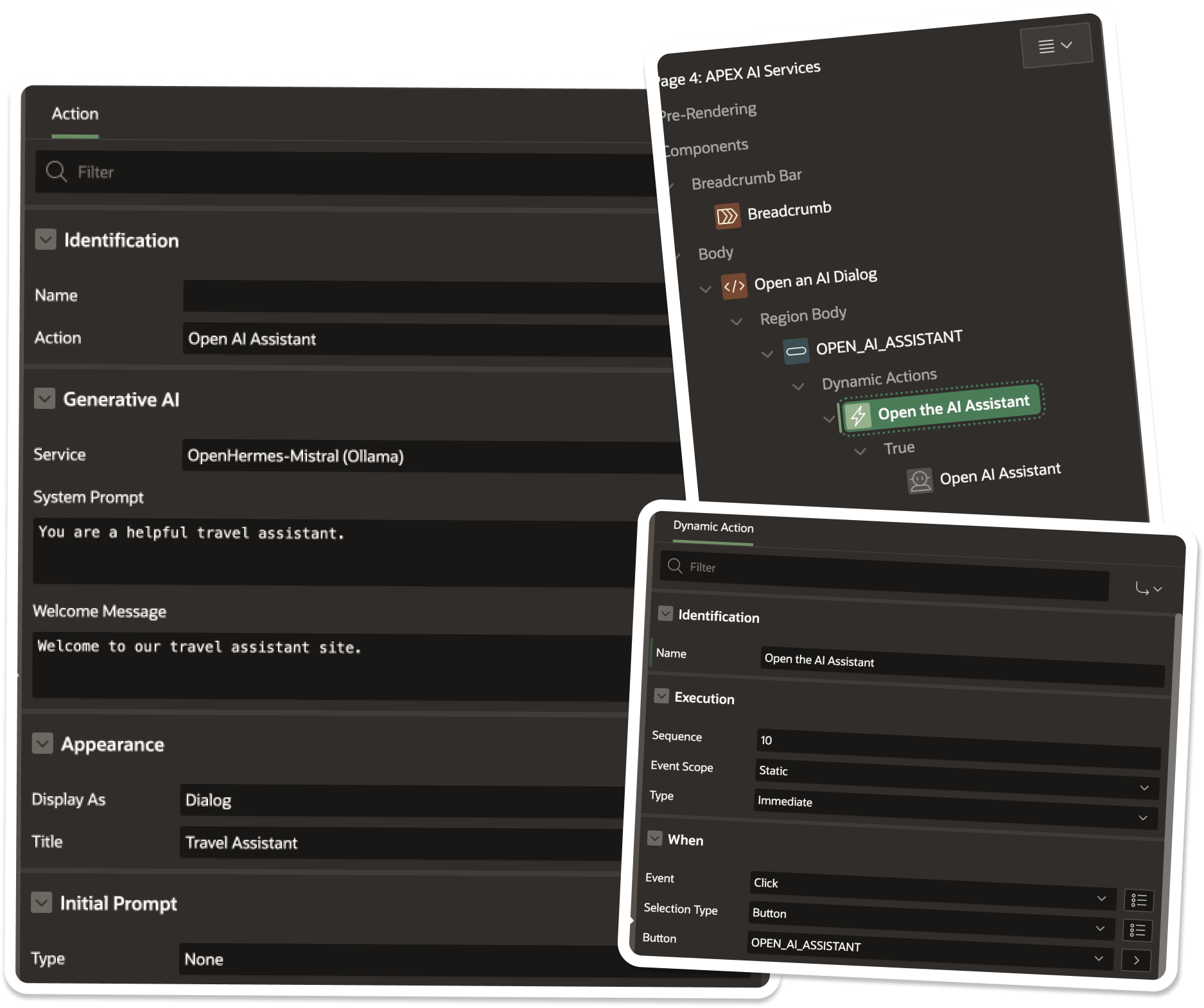
1. 在页面中使用AI助手:
* 创建动态动作
* 选择"Open AI助手"动作
* 选择配置的AI服务
* 设置系统提示、欢迎消息等
1. 完成配置并保存
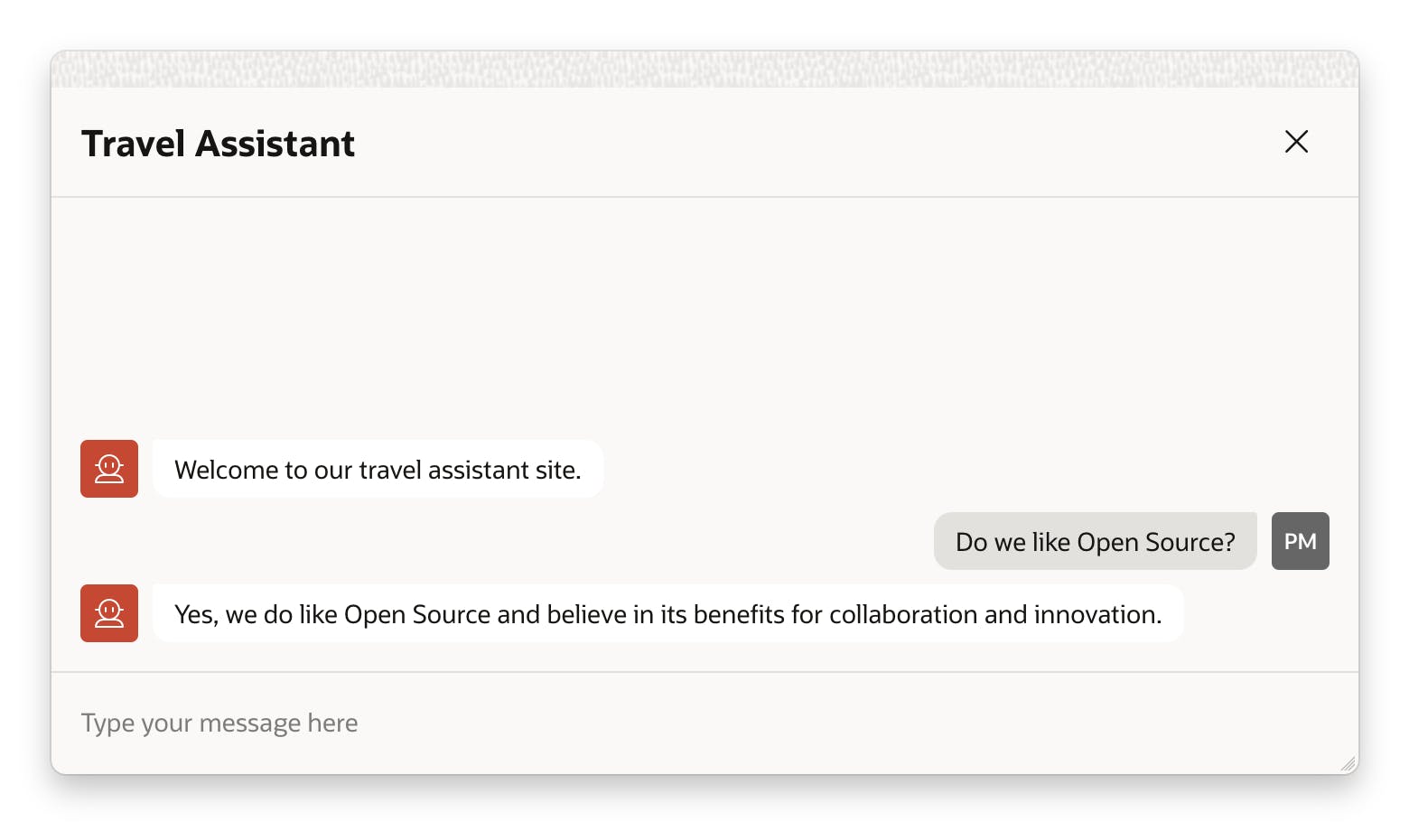
现在您可以在APEX页面中使用AI助手,通过本地LLM实现免费AI功能!